
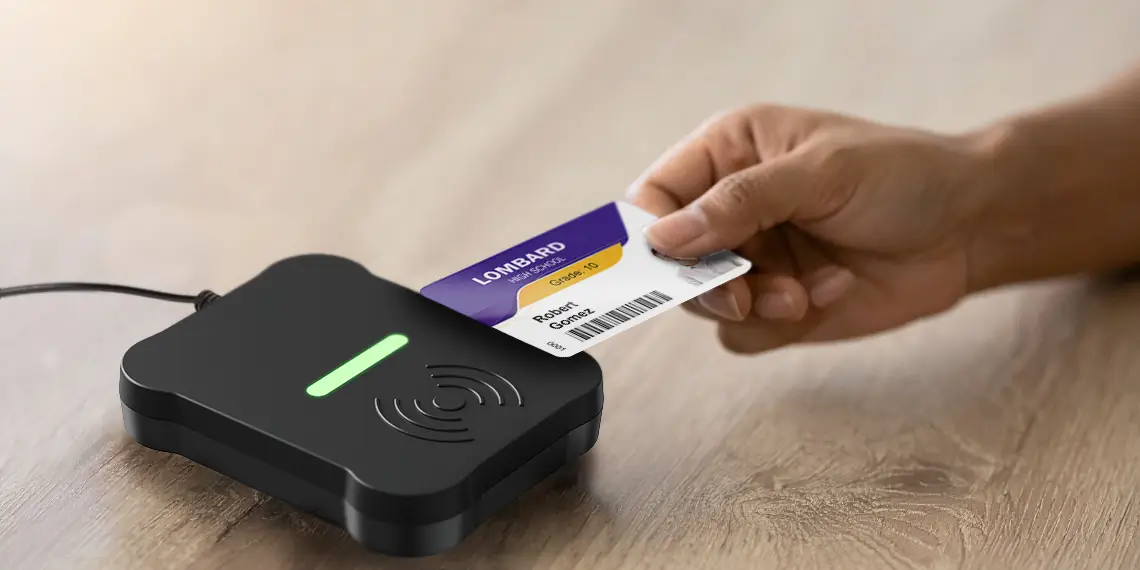
Tapping a card at a reader is a familiar part of everyday life. When you tap a credit card at a store or coffee shop, that tap creates a record of a specific interaction: the card was used, the reader captured it, and the transaction was tied to a particular time and place.
A Tap Event brings that same basic concept to student ID workflows.
When a student taps a physical ID card or uses a mobile credential at a designated CR-One reader, the reader captures a snapshot of that interaction. The Tap Event can then connect the credential activity to context such as the reader, time, and assigned touchpoint.
The result is not continuous tracking. It is a record of one intentional ID interaction, giving districts a clearer way to understand how student IDs are being used across the services and workflows they choose to support.
A Tap Event is a record of a specific credential interaction at a designated reader.
A Tap Event is created when a student taps a physical ID card or uses a supported mobile credential at a reader. That event captures a snapshot of the interaction and connects it to important context, such as the reader, time, and assigned touchpoint.
In simple terms, a Tap Event can help answer questions like:
This makes Tap Events the building blocks of visibility for modern student ID programs. Instead of only issuing cards, districts can begin to understand how those credentials are being used at specific points across the school day.
The information included in a Tap Event depends on the reader, system, and district configuration.
A Tap Event may include details such as:
This context helps districts connect the tap to the workflow it supports. For example, a Tap Event may show that a credential was used at a reader assigned to a bus, cafeteria line, library desk, entry point, or check-in location.
The goal is not just to collect data. The goal is to make specific student ID interactions easier to understand, review, and act on.
A Tap Event is not a continuous tracking feed.
It is more like a transaction record. It shows that a credential was used at a specific reader at a specific time.
For example, when someone taps a card to enter a building or checks out a library book, the system records that defined interaction. It does not continuously monitor where that person goes before or after the tap.
The same idea applies to student ID workflows. A Tap Event is created when a student uses a physical ID card or supported mobile credential at a designated reader. The district defines where readers are placed and which workflows they support.
This distinction matters. Tap Events are about visibility into intentional, district-defined interactions, not continuous student movement.

Explore how Tap Event data can reveal student ID usage patterns that help leaders make more informed decisions about adoption, staffing, and campus operations.
Student ID programs are often launched with important goals in mind: improving identification, supporting safety, streamlining services, or creating a more consistent experience across campuses.
But once cards are issued, districts may still have questions:
Tap Events can help answer those questions.
By capturing defined ID interactions, districts can better understand how student ID workflows are being used in practice.
Over time, Tap Events may help reveal:
This visibility can help district teams make more informed decisions about how to support daily operations and where to expand ID-based workflows next.
Tap Events can support many different student ID workflows, depending on the reader setup, system configuration, and district goals.
Common examples include:
Transportation
Students may tap a card or supported mobile credential when boarding a bus, helping districts capture activity tied to a vehicle, route, reader, or time.
Meal Service
Tap Events can support visibility into meal-service interactions, busy times, or areas where lines and workflows may need attention.
Campus Access
Readers placed at designated doors, offices, or entry points can help districts understand ID-based access activity.
Library and Resource Access
Tap Events can support check-in, checkout, or shared resource workflows where student identification matters.
Events
Student IDs can be used for event entry, activity participation, or access to secured areas.
Attendance and Check-In Workflows
Readers can support check-ins for class periods, programs, testing spaces, office visits, tutoring, labs, or other supervised locations.
Health Services and Student Services
Tap Events can help create visibility into check-ins for the nurse, wellness office, counseling, or other support services.
Each district may start with a different use case. The value comes from connecting ID interactions to the workflows that matter most.
One Tap Event captures one interaction. But over time, Tap Events can help districts see broader patterns.
Instead of only knowing that cards were issued, district teams can begin to understand how those credentials are being used across the school day. They can see which workflows are active, where usage appears consistent, and where additional communication or support may be needed.
This can be especially valuable as districts expand student ID programs beyond visual identification. A single credential may support transportation, meals, library services, campus access, events, and other daily workflows. Tap Events help make those interactions visible.
That visibility can help districts move from simply managing cards to understanding how student IDs support operations.
Tap Events give districts a practical way to understand specific, intentional student ID interactions across the school day.
They help answer where IDs are being used, when interactions are happening, which touchpoints are active, and where workflows may need additional support.
Most importantly, Tap Events keep the focus where it belongs: on defined campus services and workflows, not continuous student tracking.
When used thoughtfully, Tap Events can help districts turn everyday student ID activity into clearer visibility, better planning, and more informed operational decisions.
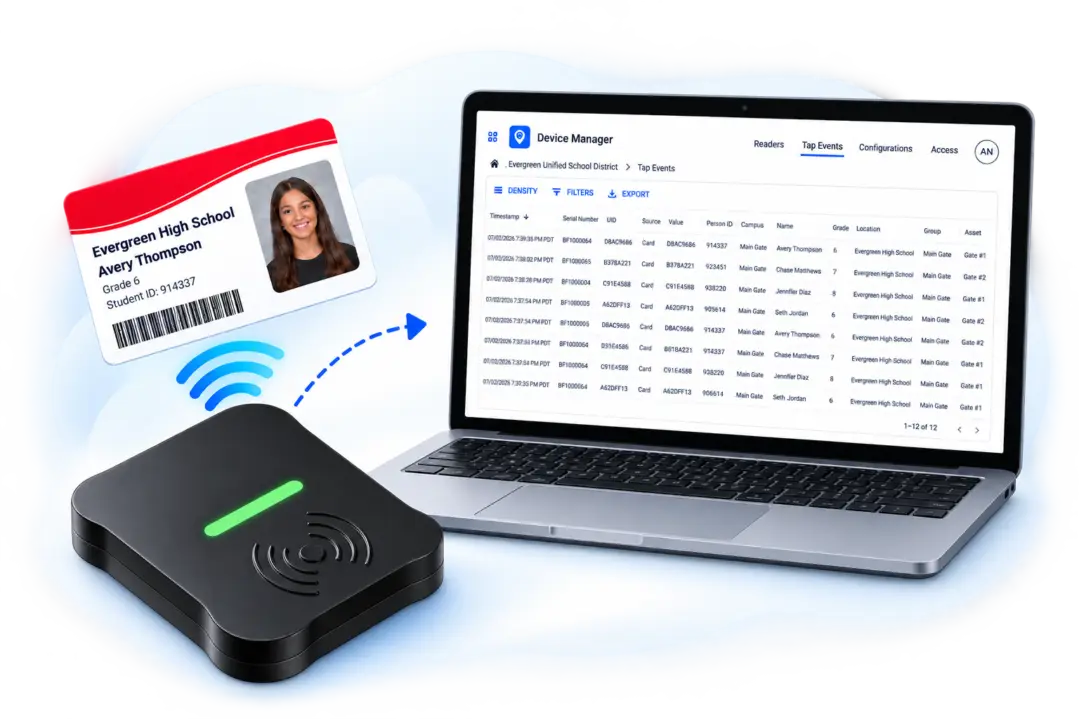
CR-One is a connected NFC reader that captures student ID interactions and brings Tap Event data into a centralized online platform, helping districts filter activity and gain clearer visibility into supported workflows.