
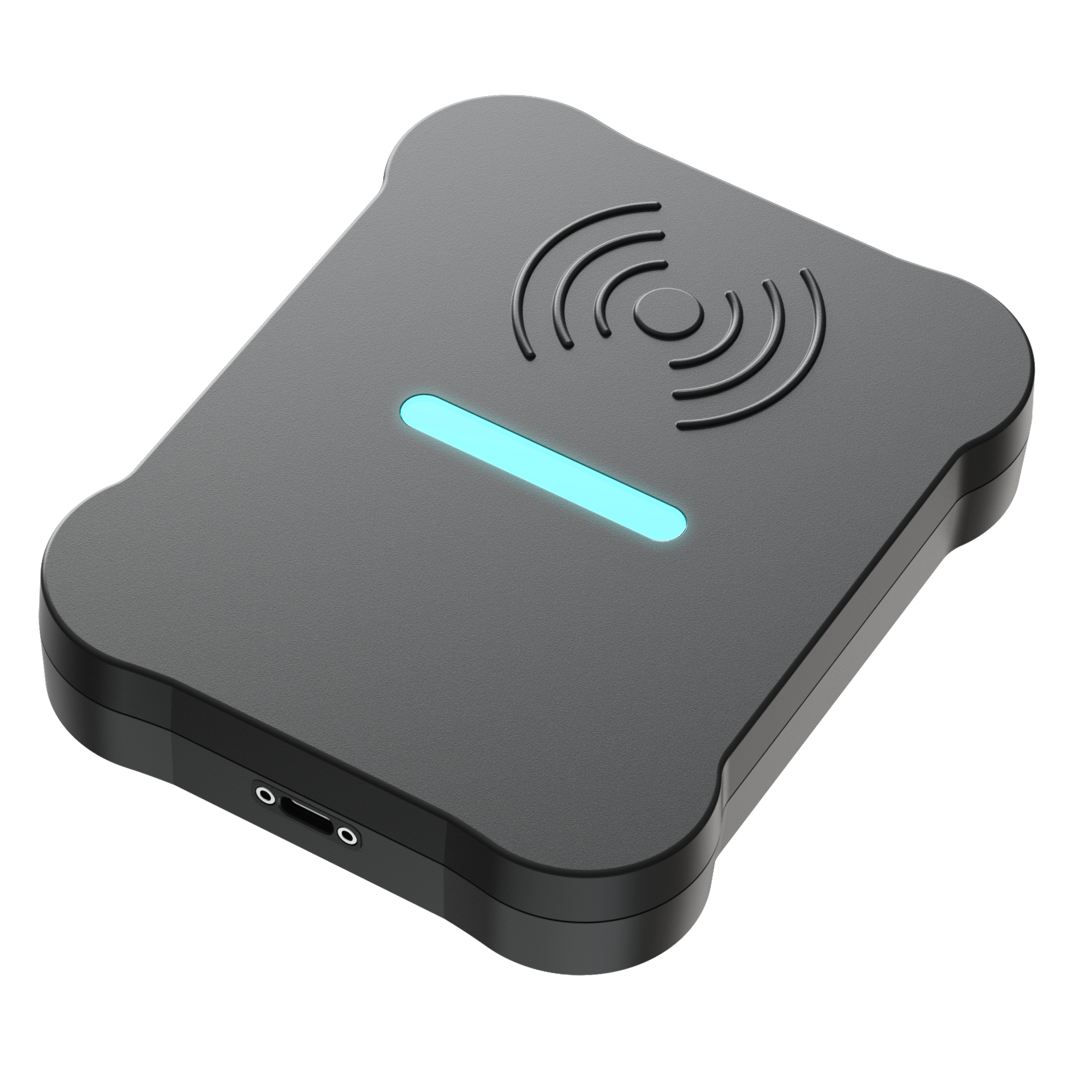
Explore CR-One
What is CR-One?
From transportation to lunch to the library, each school day is made up of critical touchpoints that shape how students are supported and how administrators lead. But without a consistent way to capture activity across those services, districts only see part of the picture.
CR-One is a connected card reader that helps districts make student ID interactions visible. Students tap a credential at a designated location, and CR-One captures the interaction, connecting credential activity to the reader, location, and use case.
Student IDs become more than a form of identification. They become operational signals, flexible touchpoints that help districts understand the services, workflows, and interactions that matter most to their schools. From one focused use case to a districtwide network of designated touchpoints, CR-One gives districts a customizable way to bring daily activity into view.
With centralized oversight through Device Manager, district teams can monitor reader activity, review tap events, support daily workflows, and make more informed decisions about where usage is strong, where adoption may need support, and where additional visibility could improve operations.
What CR-One Captures (And What It Doesn’t)
CR-One captures Tap Events: records of specific student ID interactions at designated readers. A Tap Event is created only when a student taps a physical card or digital credential at a CR-One reader.
Depending on district configuration, tap-event data may include details such as the credential value, reader, time, assigned touchpoint, and other enabled context. CR-One does not track student movement continuously. It captures district-defined interactions so teams can understand how key services and workflows are being used.
From transportation to lunch to the library, each school day is made up of critical touchpoints that shape how students are supported and how administrators lead. But without a consistent way to capture activity across those services, districts only see part of the picture.
CR-One is a connected card reader that helps districts make student ID interactions visible. Students tap a credential at a designated location, and CR-One captures the interaction, connecting credential activity to the reader, location, and use case.
Student IDs become more than a form of identification. They become operational signals, flexible touchpoints that help districts understand the services, workflows, and interactions that matter most to their schools. From one focused use case to a districtwide network of designated touchpoints, CR-One gives districts a customizable way to bring daily activity into view.
Key Features
- Connected Tap-Event Visibility
- Location and Use-Case Context
- Configurable Output Options
- Physical and Mobile ID Support
- Centralized Device Management
- Remote Updates and Reader Health Monitoring
- Flexible Deployment Across Campus Workflows
How it Works
Traditional readers focus on passing a credential value to a single system.
CR-One is designed to add context, visibility, and centralized oversight to student ID interactions across the school day.
1.
Tap to
Connect
Students tap a physical card or mobile credential at a designated CR-One reader.
2.
Interaction Captured
Each tap creates a Tap Event, connecting the credential interaction to the reader, time, location, and use case.
3.
Data
Shared
Depending on configuration, CR-One sends Tap Event data to Device Manager or other compatible systems.
4.
Actionable
Insights
Administrators can monitor device status and review reader activity to better understand ID workflows.
Built for Every Campus Touchpoint
CR-One delivers value wherever identity verification helps schools operate more clearly and consistently.
Transportation
Track ridership and monitor activity across routes, stops, and daily operations.
Campus Access
Support safe and efficient entry at designated access points across campus.
Food Services
Enable faster, more efficient transactions while improving usage visibility.
Library Access
Simplify check-ins and track access to shared resources across campus.
Events
Facilitate ID-based entry for school events, activities, or secured areas.
Attendance
Save instructor time with ID-based check-ins for class periods, testing spaces, etc.
Health & Wellness Services
Help manage student check-ins for the nurse, wellness office, etc.
Emergency Readiness
Support drills, reunification procedures, and other accountability processes.
Student Services & Campus Operations
Support a range of campus workflows through a unified credential system.
Bring Key District Operations Into View


Device Manager is an online tool that allows district teams to view credential activity and manage CR-One readers at scale. Teams can monitor reader status, review Tap Events, administer over-the-air updates, and organize activity around the campuses, services, and reader placements they choose to connect.
Your district defines the touchpoints that matter, CR-One captures those ID interactions, and Device Manager makes that activity visible and organized around the way your district actually operates. Whether you start with one service area or expand across multiple campuses and departments, teams can confirm that key touchpoints are active, spot issues before they slow down daily workflows, and understand where student ID usage is strong, inconsistent, or ready to grow.
For districts that want to use Tap Event data in their own systems, Device Manager also supports API key setup. This allows district-owned software applications to communicate with Device Manager and access raw Tap Event data, so teams can index, report on, or analyze that activity within their own platforms.
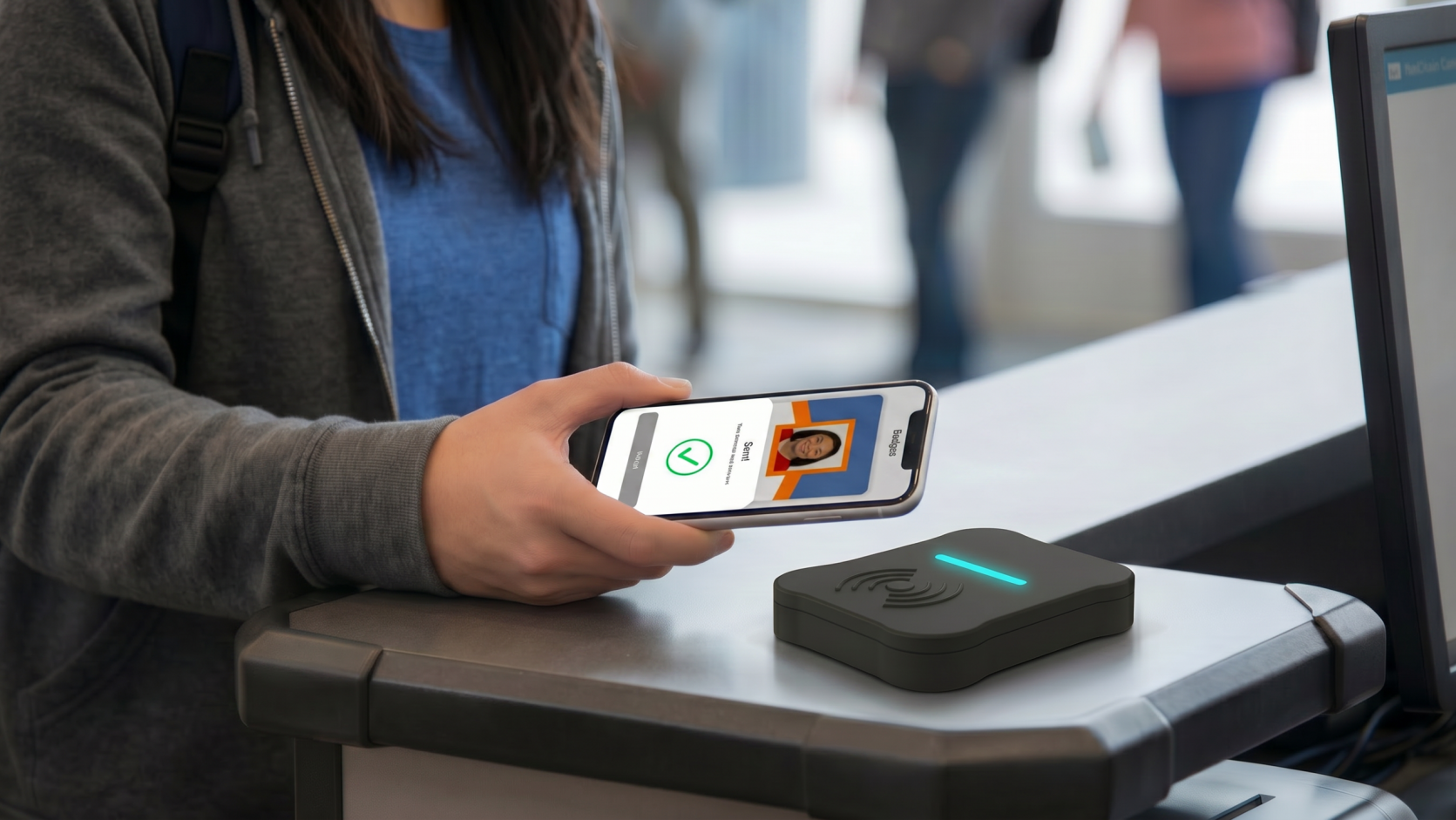
Go Mobile
Badge Mobile is an app that gives students a secure, digital version of their school-issued ID, complementing physical cards to help administrators build flexible, scalable ID programs.
Plan Your CR-One Launch
1. Start with your credential program
Confirm that students have physical cards, mobile credentials, or both, and that your district has a process for issuing, replacing, and supporting student IDs.
2. Choose your first use case
Identify where verification or data could support daily operations, such as transportation, meal service, campus access, library activity, events, student services, or another touchpoint.
3. Confirm system and configuration needs
Determine whether CR-One needs to send credential data to a compatible system, capture tap activity for Device Manager, or support both.
4. Plan reader placement
Decide where readers should be installed and how activity should be organized by campus, service area, or reader placement.
5. Monitor, learn, and expand
Use Device Manager to review activity, confirm readers are active, troubleshoot issues, and identify where additional visibility could support district operations.
Additional Resources
Use Case Planning Guide
Technical Spec Sheet
Configuration & Compatibility Overview
What Is a Tap Event?
Frequently Asked Questions
What is a connected reader?
A connected (or “smart”) reader like CR-One doesn’t just scan a card—it communicates.
Each tap is securely captured and sent in real time to your systems, along with important context like time and location. This allows districts to move beyond simple check-ins and gain a clearer, more complete picture of what’s happening across campus throughout the day.
Why would a tap fail — and how does CR-One help?
Tap issues can happen for a variety of reasons — such as unsupported or expired cards, authorization rules, or system and configuration issues. In some cases, if a card isn’t read at all (for example, due to how it’s presented), no interaction is captured.
When a tap is successfully read but doesn’t go through, CR-One records detailed context about the interaction. This allows teams to review what happened, identify root causes, and resolve issues more quickly.
For deployments that integrate with partner systems, CR-One can also enable real-time responses based on tap data — such as alerting when a rider boards the wrong bus.
Where can CR-One be used across a district?
CR-One can be used across both transportation and campus operations, including bus ridership, campus access, lunch, library services, and event check-ins.
Districts can start with a single use case and expand over time. There’s no need to deploy it everywhere at once to see value.
As more readers are added, each device contributes to a more connected campus. Across schools, these connected campuses create a unified view of operations, giving district teams clearer visibility and more streamlined management at scale.
Will we have to replace our existing systems to accommodate CR-One?
CR-One is designed to work with the systems you already have in place.
It serves as the hardware layer that captures credential interactions, giving you the flexibility to choose how and where that data is used — whether that’s an existing transportation or district platform or CI Solutions’ Badge ecosystem. Credential formats, integrations, and workflows can all be tailored to your district’s needs, with no full system replacement required.
How does CR-One protect student data?
CR-One is designed to capture event-based interactions, not continuous location tracking. It only records data when a student taps a credential—logging the details of that specific interaction, rather than monitoring movement over time.
From a security standpoint, CR-One uses industry-standard NFC protocols (ISO 14443/15693) and transmits data over secure network connections (Wi-Fi, cellular, or wired). Sensitive data is not stored long-term on the device itself.
The data flows into a district’s identity and credential management platform, like Badge, so administrators maintain control over how information is stored, accessed, and governed.
What output and connection modes does CR-One support?
CR-One supports four configurable output and connection modes: HID/Keyboard output, USB Serial output, a bidirectional handshake protocol, and power-only operation.
HID/Keyboard output behaves like keyboard input and places the credential value at the active cursor.
USB Serial output sends credential data through a USB serial connection for the host application to process.
The handshake protocol enables two-way communication between CR-One and the host, including contextual data exchange and delivery acknowledgments.
Power-only operation allows CR-One to operate without sending data directly over USB to a partner system. Reader and Tap Event data remain available through Device Manager.
What information can a Tap Event include?
A Tap Event records a specific credential interaction at a CR-One reader. Standard tap-event data can include the reader serial number, local timestamp, credential value, assigned touchpoint, and GPS coordinates when enabled.
When Data Enrichment is enabled, Tap Events may also include student details such as name, person ID, and grade.
What does Device Manager display?
Device Manager allows district teams to view CR-One reader and Tap Event activity in one digital platform. This includes reader status, heartbeat, firmware version, last scan or tap timestamp, Tap Events, and search or group management tools.
What data is transmitted over cellular?
CR-One can transmit heartbeats, Tap Events, and over-the-air updates over cellular, subject to configuration and network availability.
How quickly do Tap Events appear in Device Manager?
Tap Events are transmitted immediately to the connected host device.
In Device Manager, Tap Events appear in near real time when GPS is disabled, subject to cellular or network availability. When GPS is enabled, Tap Events are batched and transmitted at a configurable interval.
Does CR-One continuously track student location?
No. CR-One captures specific credential interactions at designated readers. When a student taps a physical card or mobile credential, CR-One records that single interaction, similar to how a payment terminal records a transaction.
Reader placement and Tap Event context are defined by the district. The purpose is to help districts understand how key services and workflows are being used, not to continuously monitor student movement.
What does CR-One need for power and connectivity?
CR-One is powered through a USB connection. Current deployments support USB-A, with a USB-C cable option in production to give districts more flexibility in the future.
Depending on the setup, CR-One may receive power from a connected host device or an approved USB power source. Connectivity and data flow depend on the district’s configuration, including whether CR-One is communicating locally with a host device, transmitting activity to Device Manager, using cellular where enabled, or supporting over-the-air updates.
Can CR-One configurations be updated remotely?
Yes. Device Manager allows district teams to manage supported CR-One configurations remotely, including updates across multiple readers.
What happens in power-only mode?
In power-only mode, CR-One does not send data directly over USB to a partner system. Reader and Tap Event data remain available through Device Manager.
Does CR-One work with mobile credentials?
Yes. CR-One is compatible with Badge Mobile, which gives students a secure digital version of their school-issued ID. Badge Mobile works alongside physical cards to support flexible, scalable student ID programs.
Request More Information
Please complete the form below to receive more information on CR-One.
If you receive an error message, please click here to submit your request.