

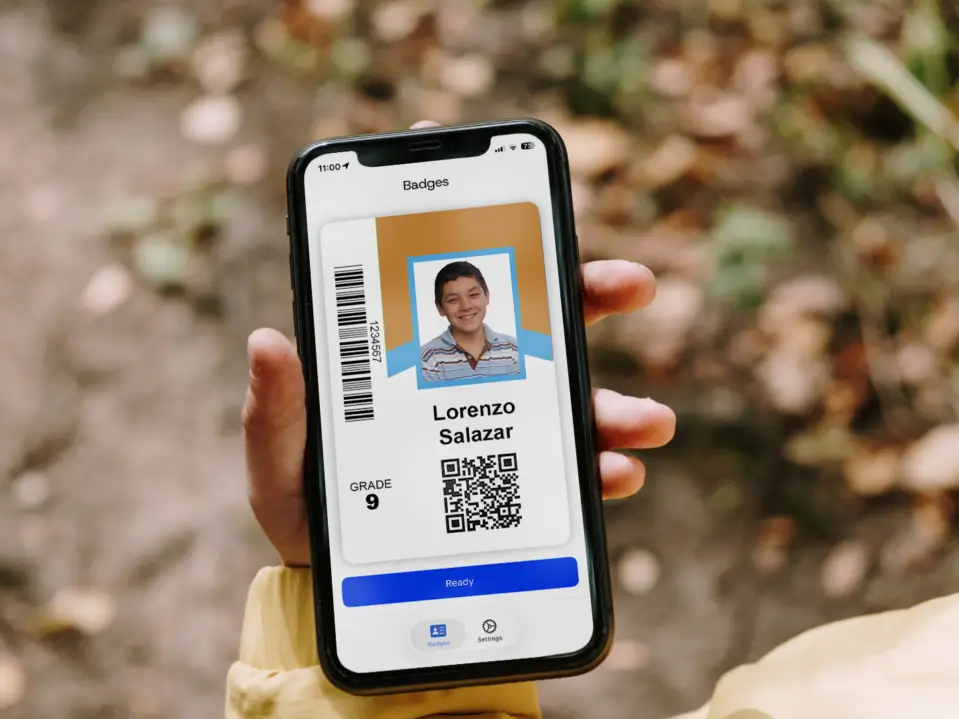
Badge Mobile gives students a secure digital version of their school-issued ID through a mobile app.
It is designed to support districts with minimal setup time and no disruption to existing systems. Still, adding mobile credentials comes with important planning considerations, from student access and campus policies to rollout strategy and daily workflows.
Use these questions to evaluate whether Badge Mobile is a good fit for your district.
Badge Mobile is most valuable when IDs already support important parts of the school day, such as transportation, campus access, lunch, library checkout, events, or student services.
If IDs are only used occasionally, your district may need to strengthen daily ID habits before adding a mobile option.

Mobile IDs can act as a reliable backup when a student does not have their physical card available. This can help reduce interruptions to daily workflows and give staff another way to verify a student’s school-issued credential.
Mobile IDs work best when students are allowed to access their phones in the moments when an ID is needed.
Before launching, districts should consider grade-level policies, campus expectations, and when students would be permitted to use a mobile credential during the school day.

Badge Mobile does not need to launch districtwide all at once. Districts can start with a specific school, grade level, student group, or use case before expanding.
For example, a district may begin with high school students, event access, transportation, or a pilot campus.
Mobile IDs may be especially helpful in workflows where students need quick access to their credential, including:
The best first use case is usually one where IDs already matter, but a mobile option could reduce friction or improve consistency.

Badge Mobile supports single sign-on (SSO). Districts should consider which login method students already use and whether that process will be simple enough for daily use.
A strong mobile ID rollout depends on students being able to access their credential quickly when they need it.
Badge Mobile is not an either/or decision. Physical cards still matter for visual identification, younger students, students without consistent device access, and workflows where a phone may not be practical or allowed.
The key question is how your district wants physical and mobile IDs to work together. Mobile IDs may serve as a backup, an equal credential, or a credential for specific workflows.
Staff should understand when mobile IDs are accepted, how students may use them, and what to do if a student has trouble accessing their mobile credential.
Clear communication helps ensure mobile IDs support the workflow instead of creating confusion.

Badge Mobile is not about replacing every physical card or forcing every workflow into a mobile-first model. It is about giving districts more flexibility in how student IDs are accessed and used.
For some districts, that may mean providing a backup when cards are lost or forgotten. For others, it may mean supporting specific mobile-friendly workflows, expanding credential access, or preparing for a more flexible ID program over time.
The best approach depends on your students, systems, policies, and operational goals.
CI Solutions can help you explore use cases, rollout options, and how Badge Mobile could work alongside your existing physical ID program.