

Student ID cards help schools create a safer, more organized campus environment. They give staff a quick way to identify students, support daily routines, and connect students with the right services and resources.
This page answers common questions about how student ID cards may be used, how student information is protected, and how modern ID programs support campus safety.
Details may vary by district, but the answers below reflect how CI Solutions-supported ID programs are typically designed.
RFID/NFC-enabled cards are passive. They do not include GPS, a battery, or real-time location tracking.
In many programs, the card contains little to no information beyond a unique credential number.
If a card is lost, it can be turned off and replaced so the old card is no longer usable.
A student ID helps school staff quickly recognize who belongs on campus. It can also help confirm that a student is using the right service, entering the right area, or participating in the right school activity.
Student IDs may be used for visual identification, transportation, meal service, library checkout, campus entry, school events, attendance, check-in/check-out, or student services.
Identification is the foundation, but many student IDs support more than one school function.
A single card may include a printed photo, student name, ID number, barcode, QR code, RFID/NFC technology, or other district-approved information. These features help schools use one consistent credential across multiple systems instead of relying on separate cards, passes, paper lists, or memorized numbers.
Very little information is stored on the card itself. In many programs, the card contains only a unique credential number or identifier.
Student information lives securely in the approved school or district system, not on the card. The card works by connecting that unique credential to the district’s approved records and workflows.
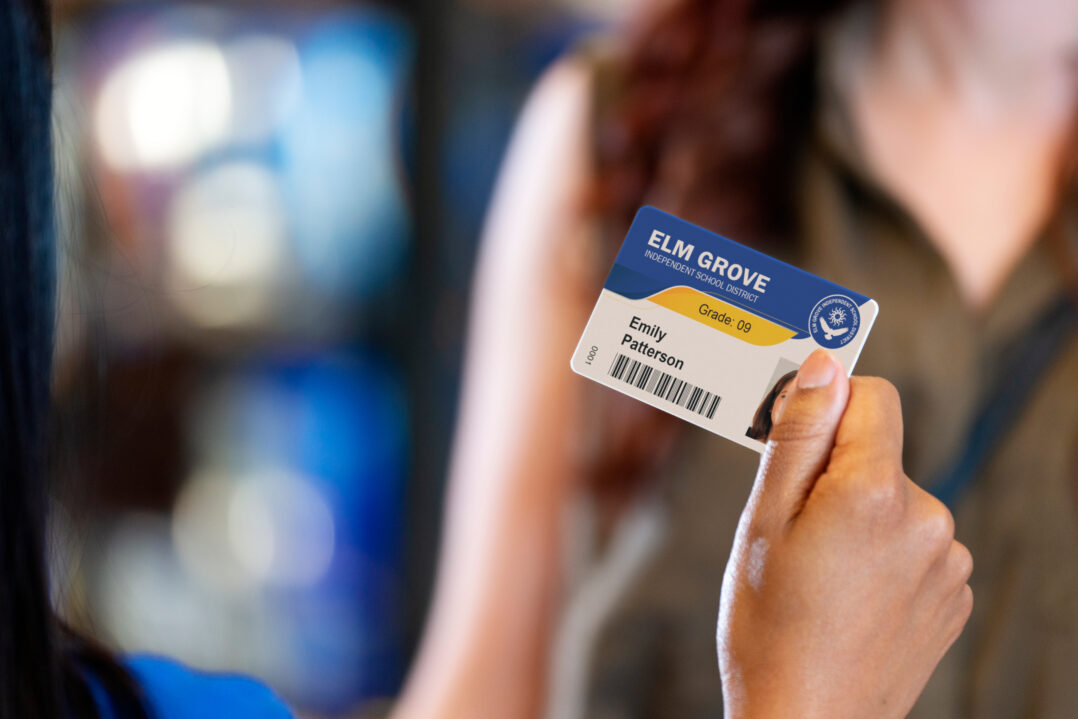
The information printed on a student ID depends on the district’s approved card design. Common elements may include the student’s name, photo, school or district name, student ID number, grade level or graduation year, barcode, QR code, RFID/NFC credential, and required support resources where applicable.
Districts can choose how much information appears visibly on the card. Some prioritize photo identification, while others choose more minimal designs, such as no photo, first initial only, or no visible student ID number.
No. A student ID card is not a tracking device.
RFID/NFC-enabled cards are passive and only work when they are tapped within a few centimeters of an authorized card reader. There is no GPS, no battery, and no real-time location tracking.
A student is only “seen” by the system when they actively use the card for an approved activity, such as boarding a bus, checking out a library book, buying lunch, or accessing a campus service.
Think of each scan or tap as a snapshot of an approved school activity, not a live map of where a student is throughout the day. It works more like tapping a credit card than using a tracking device.
A scan or tap may record basic details, such as which credential was used, when it was used, where it was used, and what school activity it supported.
For example, a record may show that a student boarded a bus, checked in at a campus location, or used their ID for a meal or library transaction. Access to that information should be limited to authorized school or district staff for approved purposes.
A lost card can be deactivated, and a replacement card can be issued.
Once the replacement card is active, the old card is no longer usable in the system. Losing a card does not expose student data because sensitive student information is not stored directly on the card.
Families should contact the school office if a card is lost, damaged, or not working.
No. RFID/NFC-enabled student ID cards require very close proximity to an authorized reader, usually just a few centimeters.
The card is designed to work only when it interacts with the appropriate school-approved system. It is not designed to broadcast information from a distance.
Student IDs are carried throughout the school day, which makes them a practical place to include important support information.
Some districts include crisis, mental health, safety, or other student support resources so students know where to turn if they need help. Requirements may vary by state or district.
Student information is protected by keeping sensitive data in approved school or district systems, not directly on the card itself.
Districts control what appears visibly on the card, who has access to ID-related systems, and how card activity is used. Access should be limited to authorized school or district staff for approved school purposes.
A well-managed ID program is designed to reduce manual work over time.
Student IDs can replace or simplify processes like paper tracking, manual check-ins, memorized ID numbers, or separate cards for different systems. In some programs, printing a new card can automatically activate the new credential and deactivate the old one.
Families can help by encouraging students to bring their ID card to school each day, keep it in good condition, and report lost or damaged cards quickly.
If your student has questions about when or where to use their ID card, encourage them to ask a teacher, school office staff member, or campus administrator.
Learn how student ID cards can help schools create consistent routines, support approved campus workflows, and build trust with families.